Overview
This guide demonstrates how to use/parse with the Contextual AI API directly and via our Python SDK. It uses the same document — Attention Is All You Need — for both examples.
0. Fetch the Document & Set API Key
First, we’ll fetch the document that we’ll use throughout the notebook.API Key
Grab your API Key from the Contextual console and set it on the left in the Secrets pane asCONTEXTUAL_API_KEY.
1. REST API implementation
You can use our API directly with the requests package. See docs.contextual.ai for details.1.1 Submit Parse Job
Next, we’ll define the configuration for our parse job and submit it. This initiates an async parse job and returns a job_id we can use to monitor progress.1.2 Monitor Job Status
Using thejob_id from above, we can monitor the status of our parse job.
1.3 List all jobs
If we submit multiple jobs and want to see the status of each of them, then we can use the list jobs api:1.4 Get Parse results
1.5 Display 1st Page
2. Contextual SDK
2.1 Submit Parse Job
2.2 Monitor Job Status
2.3 List all jobs
2.4 Get Job Results
2.5 Display 1st Page
3. Parse UI
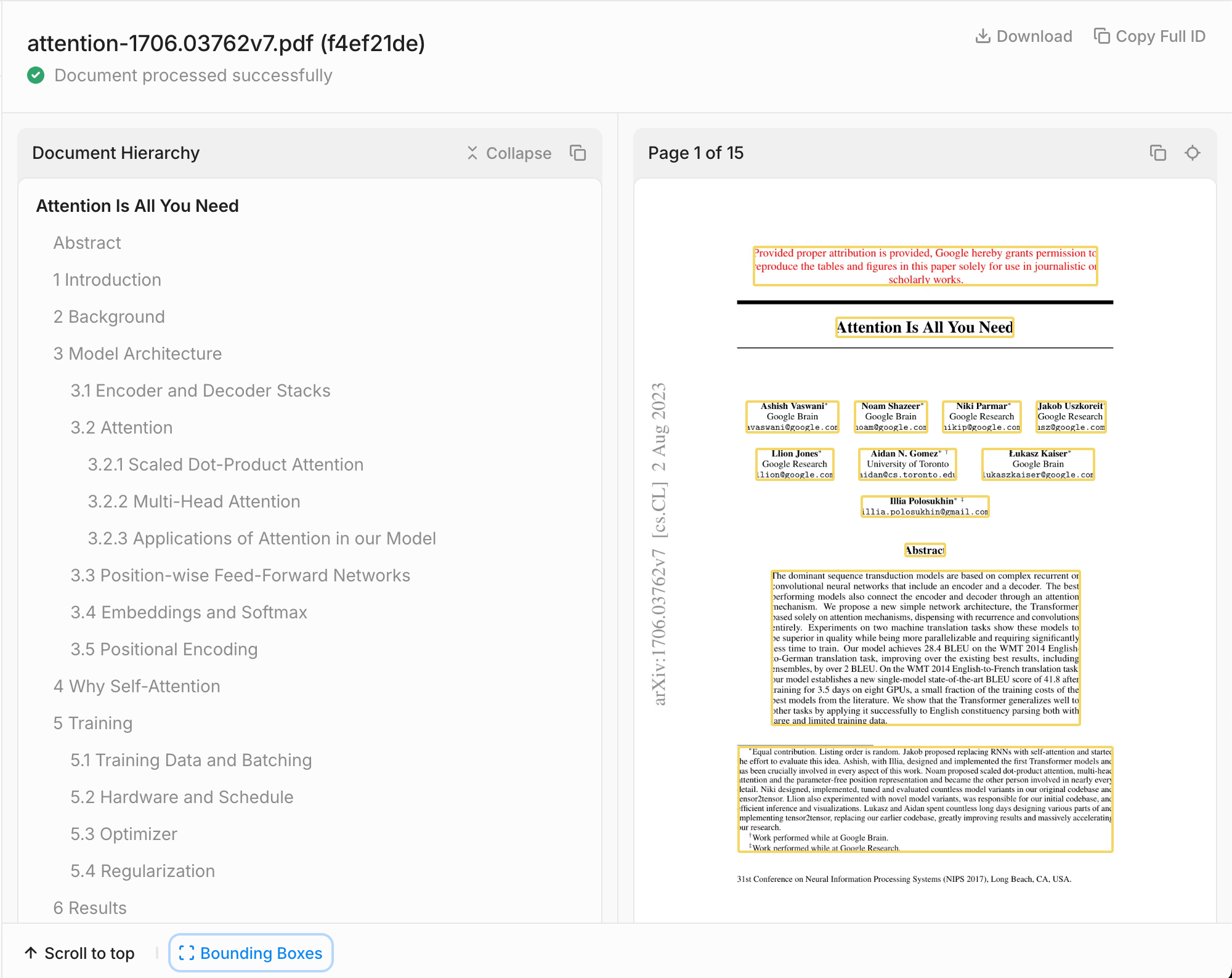
To see job results in an interactive manner and submit new jobs, navigate to the UI using the following link by running the cell below.You’ll need to change your-tenant-name to your tenant.
4. Output Types
You can set the desired output format(s) of the parsed file using theoutput_types parameter. Valid values are:
markdown-documentmarkdown-per-pageblocks-per-page
markdown-documentparses the entire document into one concatenated markdown output.markdown-per-pageprovides markdown output per page.blocks-per-pageprovides a structured JSON representation of content blocks on each page, sorted by reading order.
4.1 Display Markdown-per-page
4.2 Blocks per page
4.3 Markdown-document
This returns the document text into a single field markdown_document.5. Hierarchy Metadata
5.1 Display hierarchy
To easily inspect the document hierarchy, rendered as a markdown table of contents you can run:5.2 Add hierarchy context
LLMs work best when they’re provided with structured information about the document’s hierarchy and organization. That’s why we’ve written the parse api to be context aware, i.e. we can include metadata such as which section the text is from. To do this we’ll set output_type to blocks-per-page and use the parameter parent_ids to get the corresponding section headings. The parent_ids are sorted from root-level to bottom in case of nested sections.6. Table Extraction
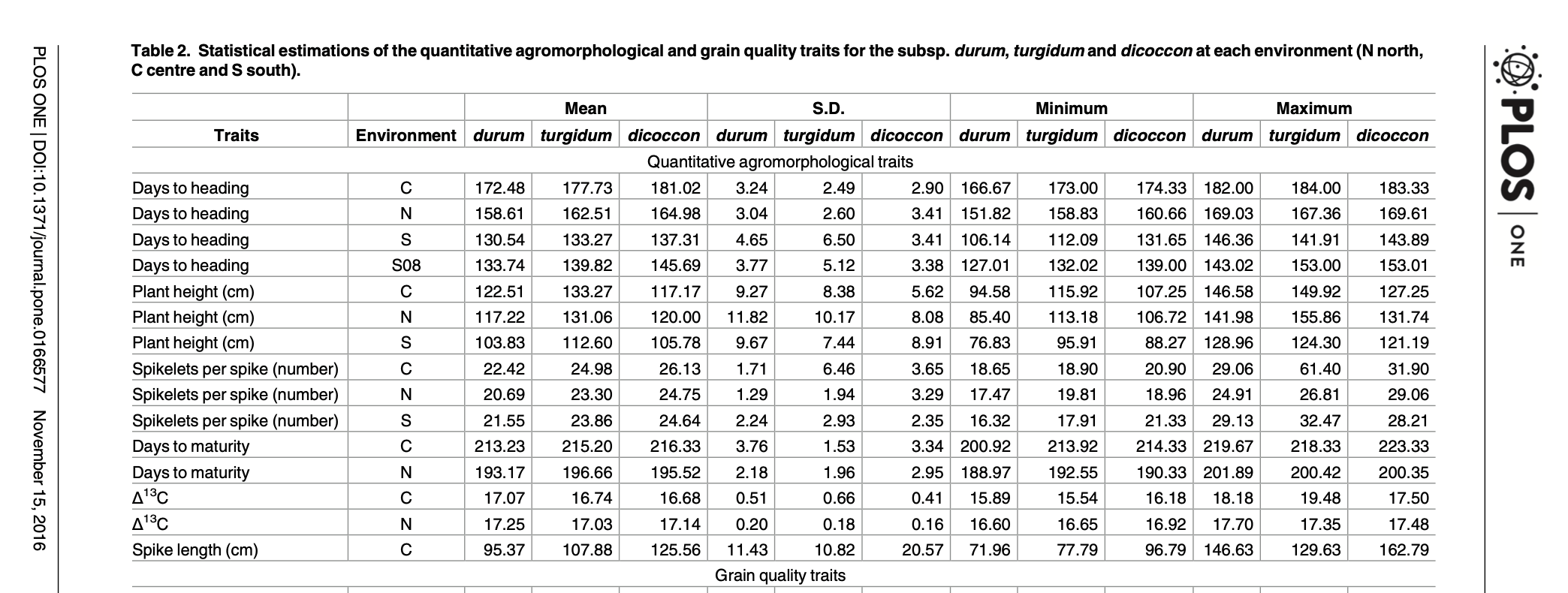
If we’re interested in extracting large tables, sometimes we need to split up those tables to use them in the LLM but preserve table header information across each chunk. To do that we’ll use the enable_split_tables and max_split_table_cells parameters like so: We’re using a document with a large table. You can take a look at the original doc here.