Uploading Your Local File
Log in through the Contextual AI UI and follow these steps to upload a local file to use as a data source.1. Set Data Source Name & Type
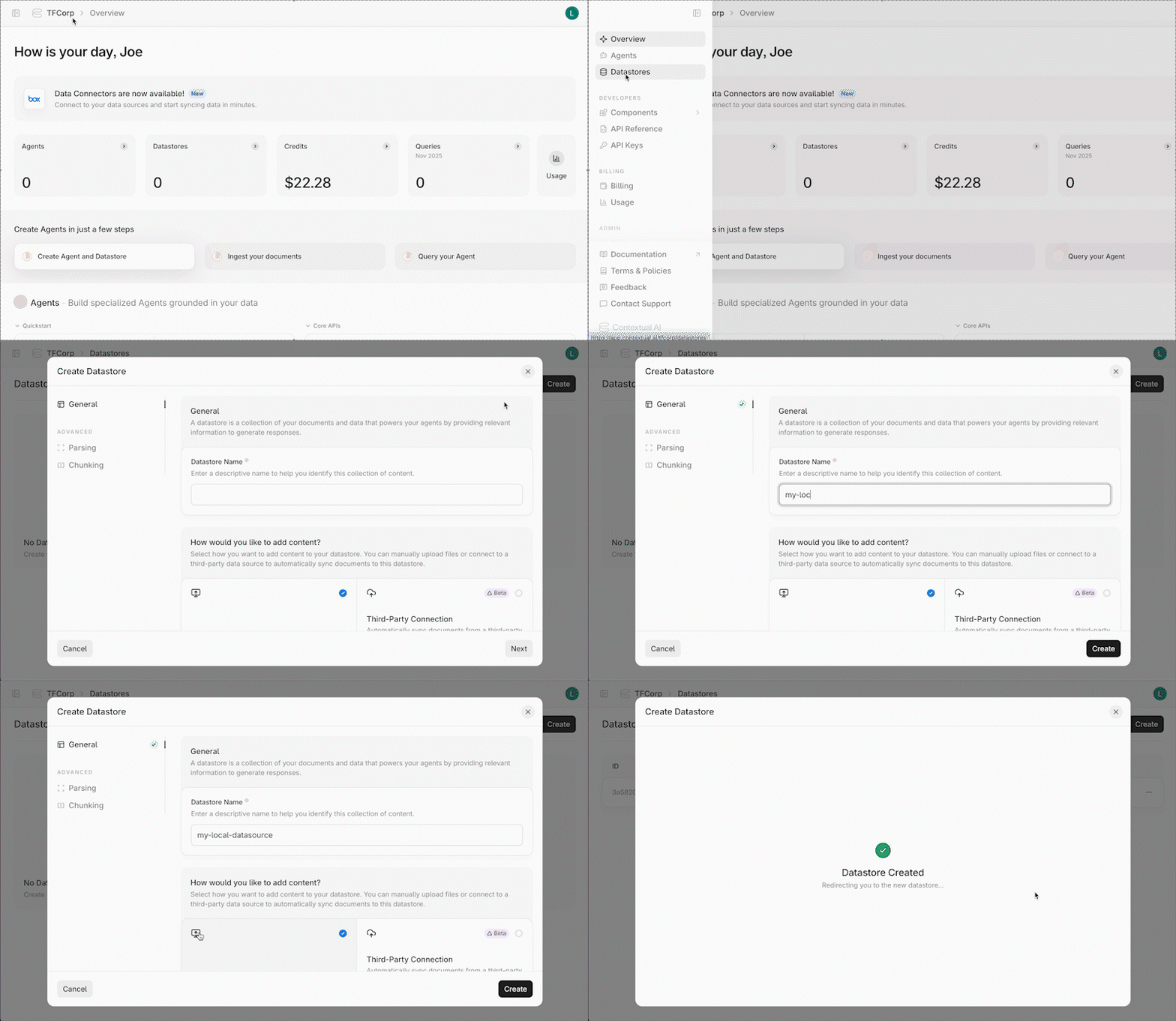
- Click Datastores in the left-hand pane, followed by the Create button in the top right.
- Give your datastore a unique name, then click the local file upload button (the left panel) as the method for adding content to your datastore. Click the Next button.
2. Upload & Process Your File
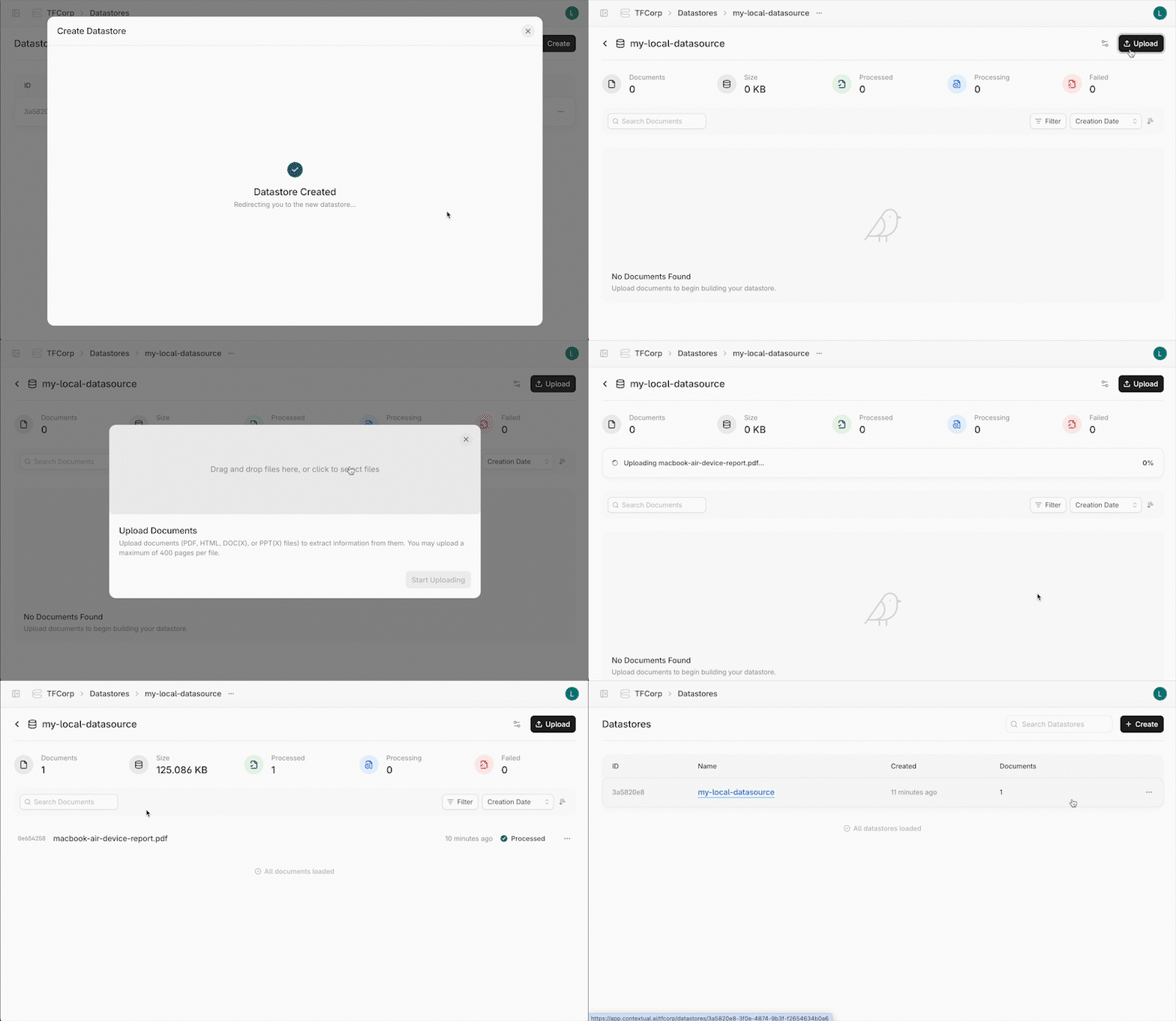
- On the Datastores page, click the Upload button.
- Drag and drop or select the file to upload, and click the Start Uploading button.
- After Contextual AI finishes processing your file, go back to the Datasources page. You should see your newly-created datasource with the previously uploaded file.