

Pricing Overview
Contextual AI offers two pricing options:- On-Demand: Pay-as-you-go pricing with $25 in free credits to start. No commitments or minimums.
- Enterprise: Custom pricing with guaranteed throughput, SLAs, VPC deployment, and dedicated support.
View Full Pricing
See complete pricing details, feature comparison, and enterprise options
Managing Your Billing
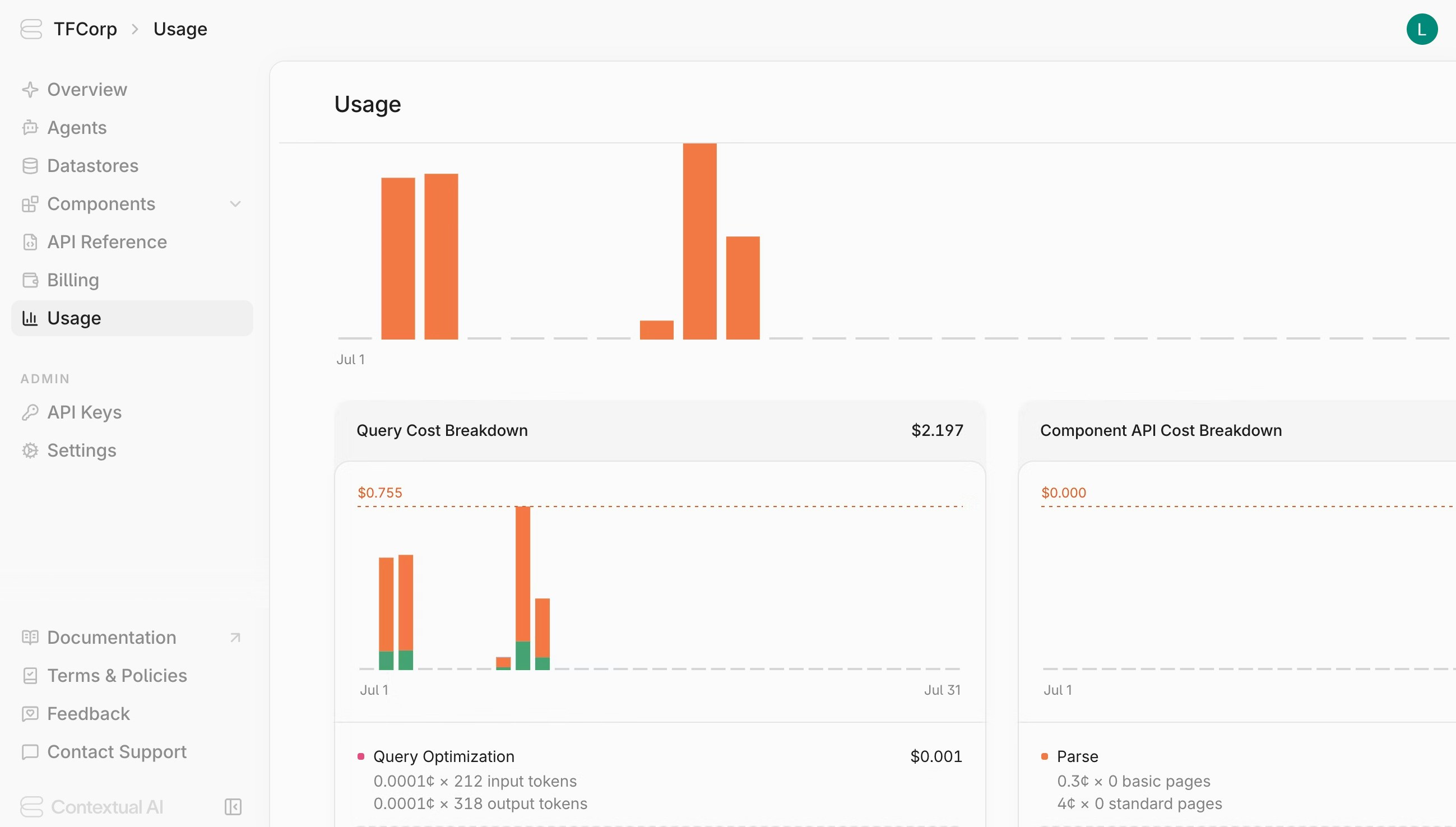
Monitoring Usage
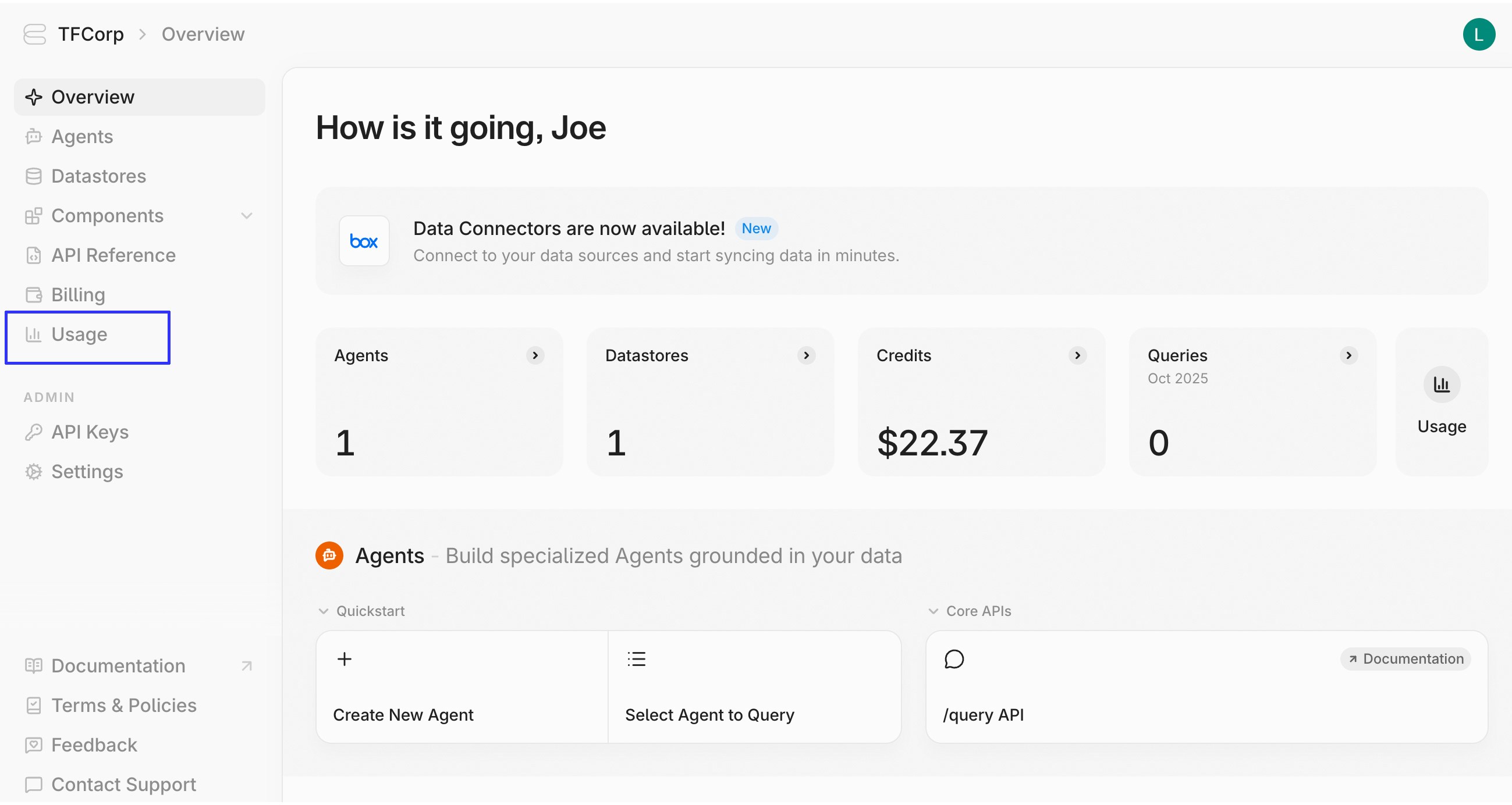
To view your usage statistics:- Click on Usage in the sidebar
Adding Payment Methods
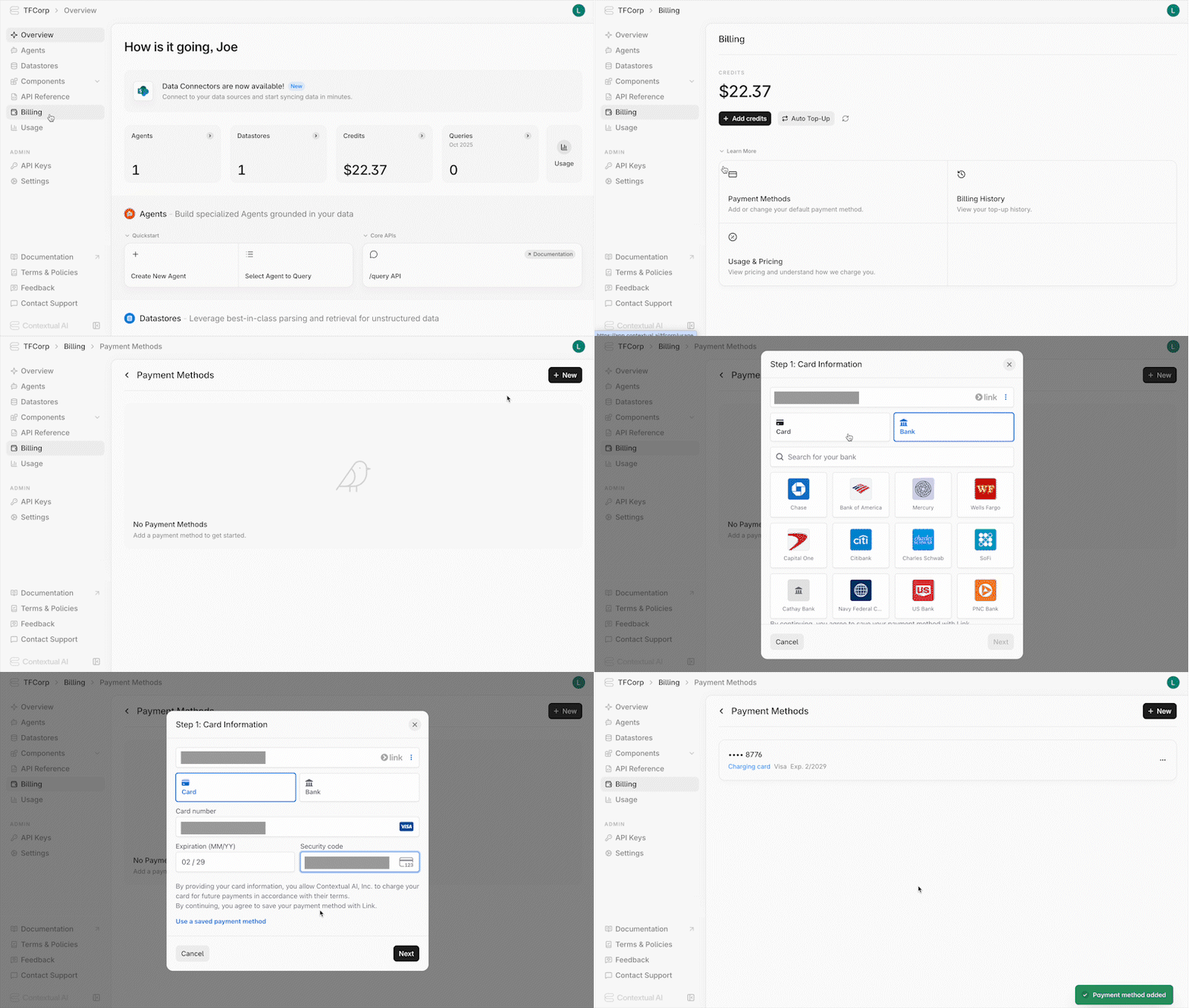
To link a payment method:- Navigate to the Billing page in your workspace
- Click on Payment Methods in the Learn More section
- Click the +New button
- Fill out the card or bank information, then click Next
- Fill out your billing address, then click Save Payment Method
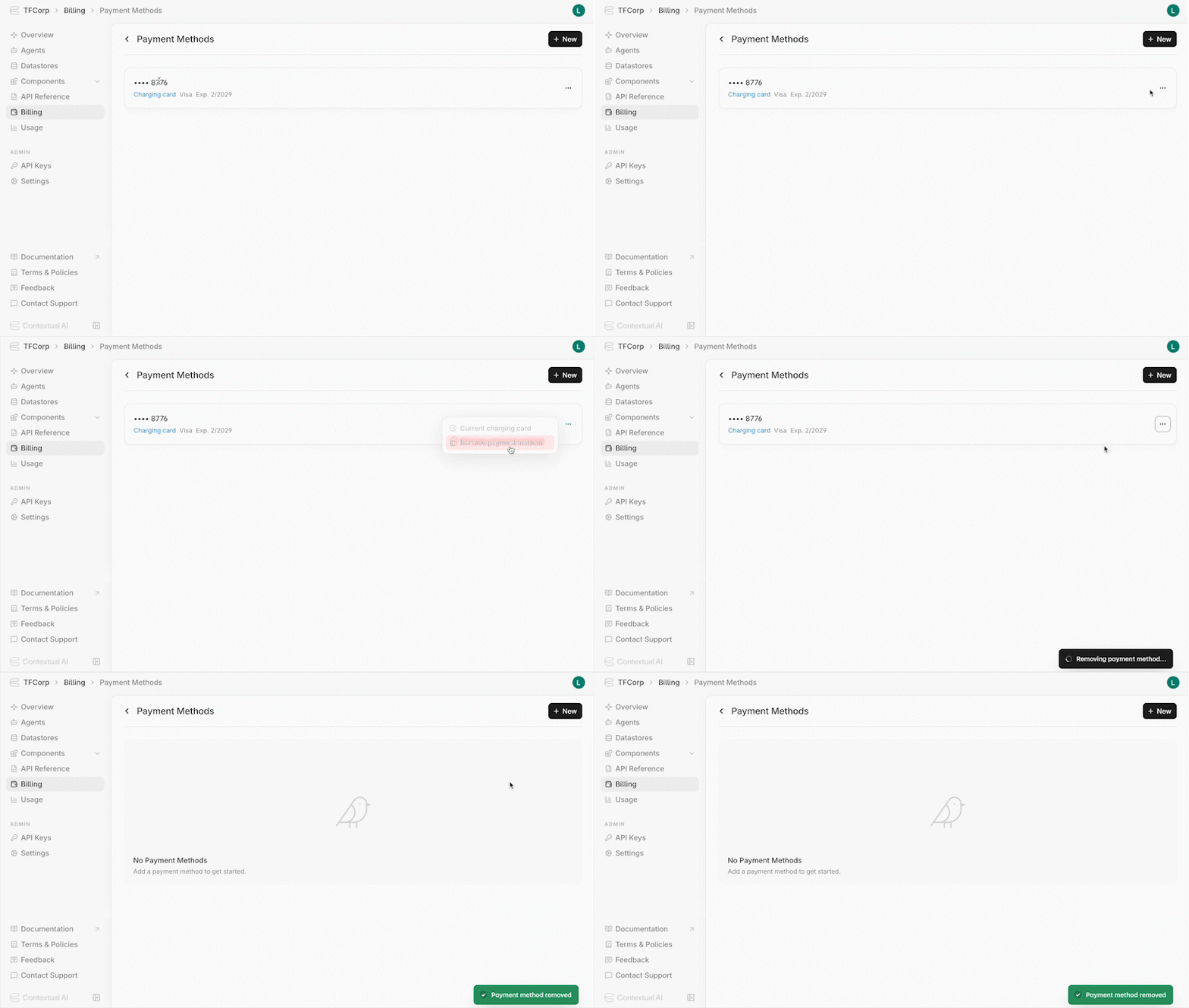
- Locate it in the list of payment methods
- Click the menu icon
- Click Remove Payment Method
Adding Credits
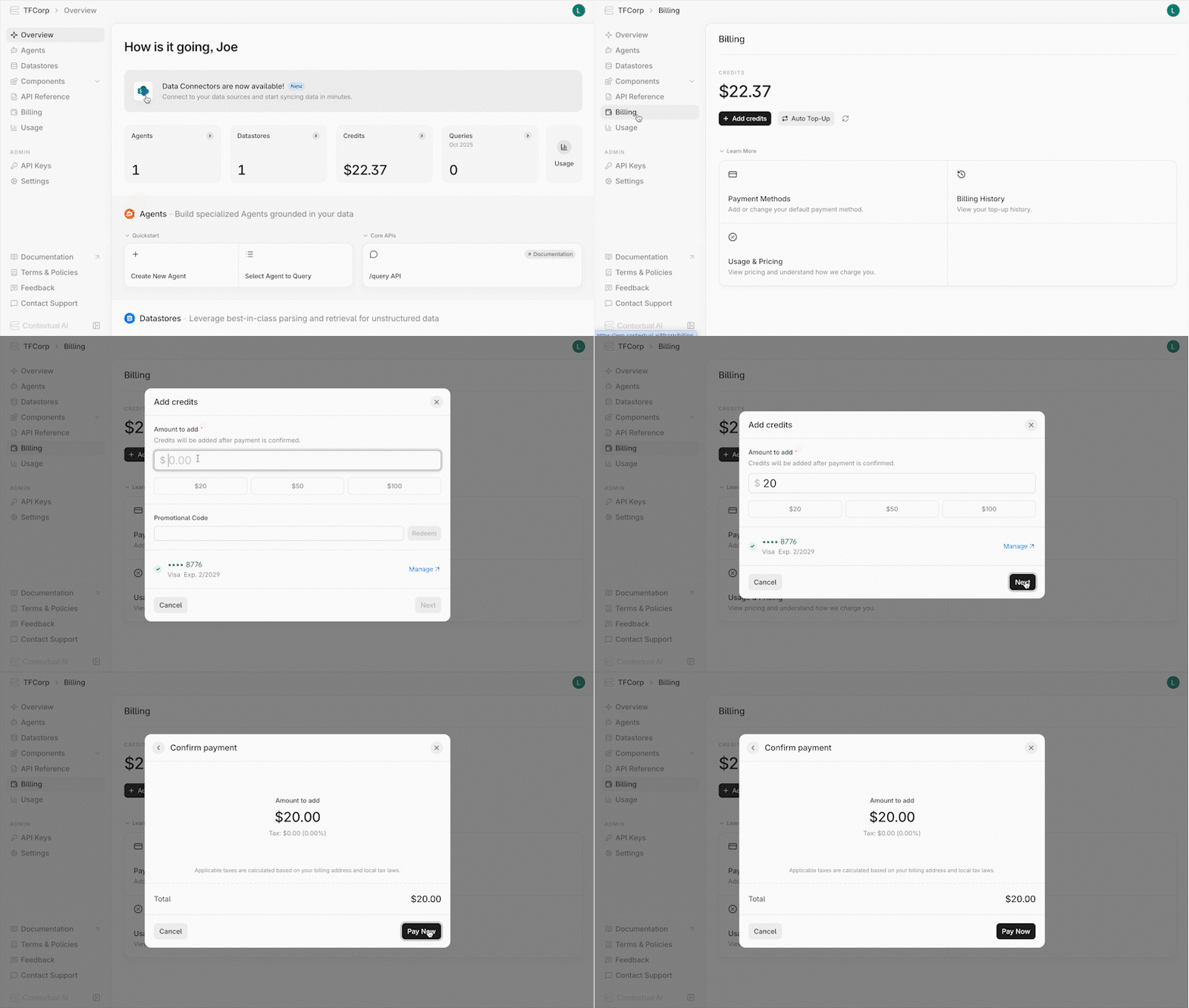
To top-up your credits:- Navigate to the Billing page in your workspace
- Add a valid credit card under Payment Methods if you haven’t already
- Click Add Credits and fill out the form
- Click Next and confirm the payment
For enterprise pricing or questions, contact sales@contextual.ai