> ## Documentation Index
> Fetch the complete documentation index at: https://docs.contextual.ai/llms.txt
> Use this file to discover all available pages before exploring further.
# Generation Model
> Selecting Your Generation Model
## Description
Determines which generation model powers your agent. You can use either our default Grounded Language Model (GLM) or a version that has been specifically tuned to your use case.
Tuned models can only be used with the agents on which they were tuned.
## Usage
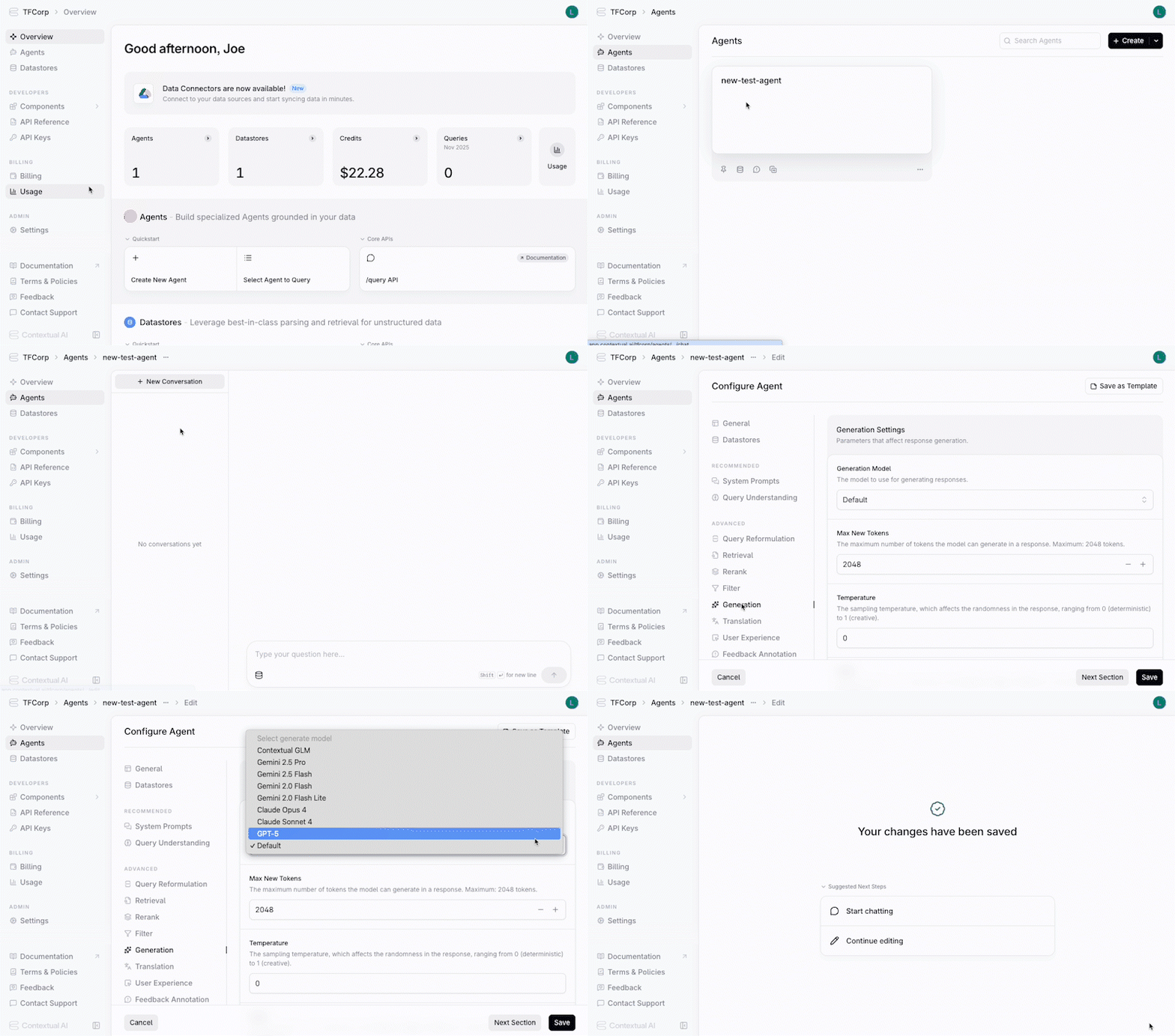
You can configure the generation model either during agent creation or by modifying an existing agent.
1. In the agent's configuration settings, click **Generation** from the left-hand pane to access **Generation Settings**.
2. Under **Generation Model**, select the desired model from the drop-down list.
3. Click the **Save** button.