> ## Documentation Index
> Fetch the complete documentation index at: https://docs.contextual.ai/llms.txt
> Use this file to discover all available pages before exploring further.
# Platform Quickstart (API)
> Create a specialized RAG agent programmatically
## Create and Prompt Your First Agent
This guide walks you through creating a **research-oriented agent designed for long, technical documents and multi-step reasoning**. The agent uses **Agent Composer (AC)** to run a graph-based workflow that performs iterative retrieval, analysis, and synthesis across complex source material.
The document set for this tutorial consists of **NASA technical reports focused on Fault Detection, Isolation, and Recovery (FDIR)** in safety-critical autonomous systems. These documents are intentionally dense and fragmented, making them ideal for demonstrating agentic research rather than simple single-pass RAG.
***
### Learning Outcomes
By completing this quickstart, you'll learn how to:
1. **Create and configure datastores** for securely storing and indexing long technical documents
2. **Ingest complex PDFs** with hierarchy-aware parsing, including figures, tables, and cross-references
3. **Define a research workflow** using a default Agent Composer YAML graph
4. **Create an agent** that uses Agent Composer to perform multi-document research and synthesis
5. **Query and interact with the agent** through both the UI and API, observing retrievals, generation, and workflow execution
⏱️ This tutorial can be completed in **under 15 minutes**. All steps can also be performed through the **GUI** for a no-code Agent Composer experience.
***
### Step 0: Set Up Your Environment
Start by installing the required dependencies and setting up your development environment. The `contextual-client` library provides Python bindings for the Contextual AI platform, while the additional packages support data visualization and progress tracking.
```python theme={null}
# Install required packages for Contextual AI integration and data visualization
%pip install contextual-client matplotlib tqdm requests pandas python-dotenv
```
Next, import the necessary libraries that you'll use throughout this quickstart:
```python theme={null}
import os
import json
import requests
from pathlib import Path
from typing import List, Optional, Dict
from IPython.display import display, JSON
import pandas as pd
from contextual import ContextualAI
import ast
```
#### API Authentication Setup
Before we can start building our RAG agent, you'll need access to the Contextual AI platform.
**Step-by-Step API Key Setup:**
1. **Create Your Account**: Visit [app.contextual.ai](https://app.contextual.ai/?utm_campaign=agents-towards-production\&utm_source=diamantai\&utm_medium=github\&utm_content=notebook) and click the **"Start Free"** button
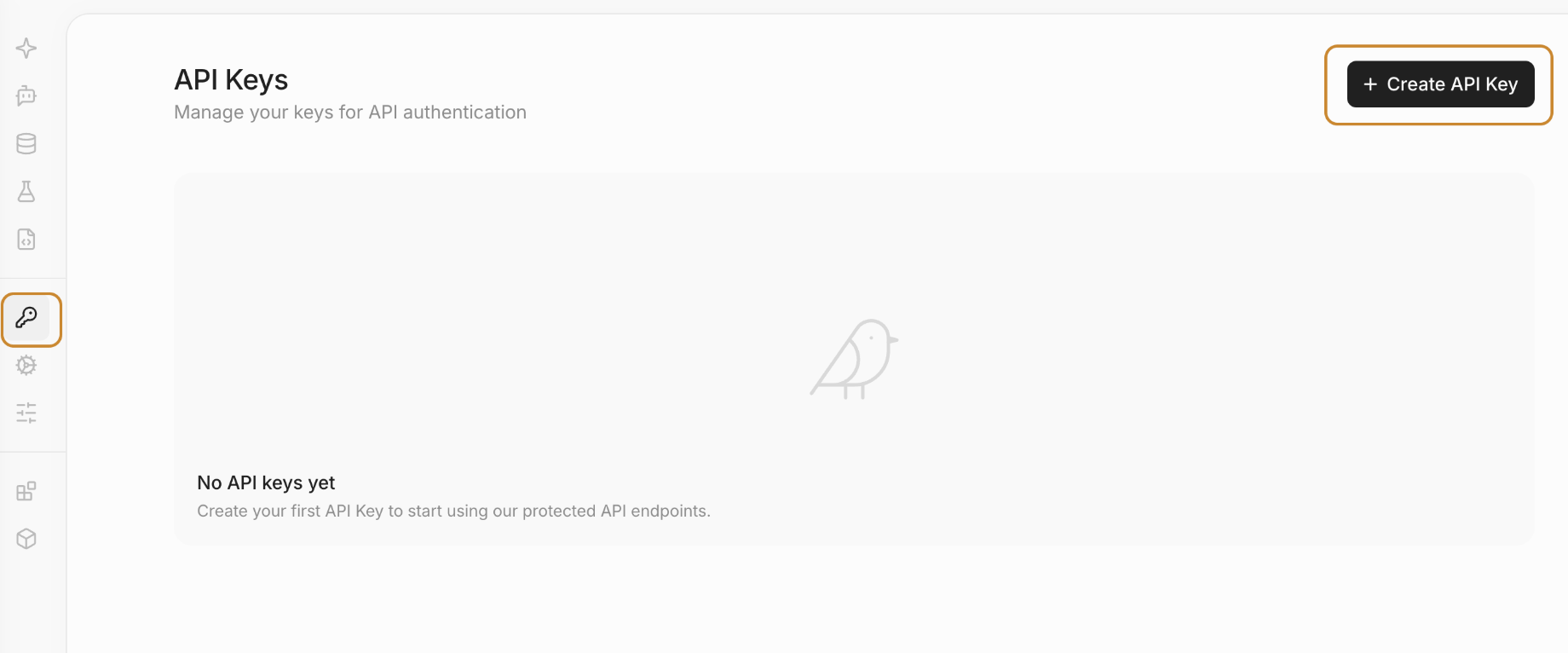
2. **Navigate to API Keys**: Once logged in, find **"API Keys"** in the sidebar
3. **Generate New Key**: Click **"Create API Key"** and follow the setup steps
4. **Store Securely**: Copy your API key and store it safely (you won't be able to see it again)
**Configuring Your API Key**
To run this quickstart, you can store your API key in a `.env` file. This keeps your keys separate from your code. After setting up your `.env` file, you can load the API key from `.env` to initialize the Contextual AI client. Feel free to use Google Secrets as well if in Google Colab.
Now, you can load the API key from `.env` to initialize the Contextual AI client.
```python theme={null}
# Load API key from .env or google secrets
from dotenv import load_dotenv
import os
try:
# Try Colab secrets if in Google Colab
from google.colab import userdata
API_KEY = userdata.get('CONTEXTUAL_API_KEY')
except:
# Fallback to environment variable
load_dotenv()
API_KEY = os.getenv('CONTEXTUAL_API_KEY')
if not API_KEY:
raise ValueError("Please set your CONTEXTUAL_API_KEY in Colab Secrets or as an environment variable")
from contextual import ContextualAI
client = ContextualAI(api_key=API_KEY)
```
### Step 1: Create Your Document Datastore
A datastore in Contextual AI is a secure, isolated container for your documents and their processed representations. Each datastore provides:
* Isolated Storage: Documents are kept separate and secure for each use case
* Intelligent Processing: Automatic parsing, chunking, and indexing of uploaded documents
* Optimized Retrieval: High-performance search and ranking capabilities
#### Why Separate Datastores?
Each agent should have its own datastore to ensure:
* Data isolation between different use cases
* Security compliance for sensitive document collections
* Performance optimization agents can be customized for specific document types and query patterns
Let's create a datastore for our NASA document analysis agent:
```python Python theme={null}
# Adding Nasa PDF's
datastore_name = 'NASA_Datastore'
# Check if datastore exists
datastores = client.datastores.list()
existing_datastore = next((ds for ds in datastores if ds.name == datastore_name), None)
if existing_datastore:
datastore_id = existing_datastore.id
print(f"Using existing datastore with ID: {datastore_id}")
else:
result = client.datastores.create(name=datastore_name)
datastore_id = result.id
print(f"Created new datastore with ID: {datastore_id}")
print(client.datastores.list())
```
### Step 2: Document Ingestion and Processing
Now that your agent’s datastore is set up, let’s add a collection of **NASA technical documents focused on Fault Detection, Isolation, and Recovery (FDIR)**. Contextual AI’s document processing engine provides enterprise-grade parsing that is well-suited for dense engineering and research content, including:
* **Complex Tables:** Experimental results, system parameters, and evaluation metrics
* **Charts and Figures:** Architecture diagrams, fault trees, and performance plots
* **Multi-page Technical Documents:** Long reports with deep hierarchical structure, appendices, and references
These capabilities are critical for enabling research and synthesis workflows, where no single document contains a complete answer.
#### Supported File Formats
The platform supports a wide range of document formats commonly used in technical and research workflows:
* PDF: Research papers, technical reports, and whitepapers
* HTML: Saved web pages and online documentation
* DOC/DOCX: Technical notes and written analyses
* PPT/PPTX: Conference presentations and engineering briefings
#### Sample NASA FDIR Documents
For this quickstart, we intentionally use complex, unstructured technical documents rather than clean or structured datasets. The document set includes NASA technical reports covering:
* Fault detection, isolation, and recovery (FDIR) in safety-critical systems
* Autonomous fault recovery for distributed electric propulsion aircraft
* Certification methodologies for lunar surface autonomy and construction missions
* System health management and failure analysis in tightly coupled subsystems
Readers are encouraged to open and skim the source documents directly to understand their length, structure, and technical depth:
* NASA Technical Reports Server (NTRS): [https://ntrs.nasa.gov](https://ntrs.nasa.gov)
These documents are deliberately chosen to be dense, technical, and fragmented across sources, making them ideal for demonstrating why agentic research and multi-document synthesis (not just simple RAG) is valuable.
#### Preparing the Document Collection
Next, we’ll upload these documents into the datastore. Once ingested, Contextual AI will automatically:
* Parse and extract text from each document
* Chunk content for efficient hybrid (semantic + lexical) retrieval
* Index the documents for grounded research and synthesis
This processed document set will serve as the knowledge foundation for the Agent Composer workflow you’ll build in the following steps.
```python Python theme={null}
import os
import requests
# Create data directory if it doesn't exist
if not os.path.exists('data'):
os.makedirs('data')
files_to_upload = [
(
"A_Fault_Recovery_Distributed_Electric_Propulsion.pdf",
"https://ntrs.nasa.gov/api/citations/20240013567/downloads/TM-20240013567.pdf",
),
(
"B_Lunar_Surface_Autonomy_Certification_FDIR.pdf",
"https://ntrs.nasa.gov/api/citations/20250010214/downloads/MDA%20Paper%20ISS%20CaseStudy%202025%20Author%20Name%20Added.docx",
),
]
```
#### Document Download & Ingestion Process
The following cell will:
* Download documents from Contextual AI's examples repository (if not already cached)
* Upload to Contextual AI for intelligent processing
* Track processing status and document IDs for later reference
```python Python theme={null}
# Download and ingest all files
document_ids = []
for filename, url in files_to_upload:
file_path = f'data/{filename}'
# Download file if it doesn't exist
if not os.path.exists(file_path):
print(f"Fetching {file_path}")
try:
response = requests.get(url)
response.raise_for_status() # Raise an exception for bad status codes
with open(file_path, 'wb') as f:
f.write(response.content)
except Exception as e:
print(f"Error downloading {filename}: {str(e)}")
continue
# Upload to datastore
try:
with open(file_path, 'rb') as f:
ingestion_result = client.datastores.documents.ingest(datastore_id, file=f)
document_id = ingestion_result.id
document_ids.append(document_id)
print(f"Successfully uploaded {filename} to datastore {datastore_id}")
except Exception as e:
print(f"Error uploading {filename}: {str(e)}")
print(f"Successfully uploaded {len(document_ids)} files to datastore")
print(f"Document IDs: {document_ids}")
```
### Step 3: Inspect Your Documents
Let's take a look at our documents at [https://app.contextual.ai/](https://app.contextual.ai/?utm_campaign=agents-towards-production\&utm_source=diamantai\&utm_medium=github\&utm_content=notebook)
1. Navigate to your workspace
2. Select **Datastores** on the left menu
3. Select **Documents**
4. Click on **Inspect** (once documents load)
You will see datastore uploads in progress. Click through the documents to see how they are chunked!
Once ingested, you can view the list of documents, see their metadata, and also delete documents via API.
It may take a few minutes for the document to be ingested and processed. If the documents are still being ingested, you will see `status='processing'`. Once ingestion is complete, the status will show as `status='completed'`.
You can learn more about the metadata [here](https://docs.contextual.ai/api-reference/datastores-documents/get-document-metadata?utm_campaign=agents-towards-production\&utm_source=diamantai\&utm_medium=github\&utm_content=notebook).
```python Python theme={null}
metadata = client.datastores.documents.metadata(datastore_id = datastore_id, document_id = document_ids[0])
print("Document metadata:", metadata)
```
### Step 4: Agent Creation & Configuration
Now you'll create an Agent Composer agent via the API by attaching a YAML workflow. This defines the agent as a graph of steps (research + generation), rather than a single fixed RAG path.
```python Python theme={null}
# Load the YAML (The workflow graph -> will add an explanation to this as well)
acl_yaml = """
version: 0.1
inputs:
query: str
outputs:
response: str
nodes:
create_message_history:
type: CreateMessageHistoryStep
input_mapping:
query: __inputs__#query
research:
type: AgenticResearchStep
ui_stream_types:
retrievals: true
config:
tools_config:
- name: search_docs
description: |
Search the datastore containing user-uploaded documents. This datastore is a vector database of text chunks which uses hybrid semantic and lexical search to find the most relevant chunks.
Use this tool to find information within the uploaded documents.
step_config:
type: SearchUnstructuredDataStep
config:
top_k: 50
lexical_alpha: 0.1
semantic_alpha: 0.9
reranker: "ctxl-rerank-v2-instruct-multilingual-FP8"
rerank_top_k: 12
reranker_score_filter_threshold: 0.2
agent_config:
agent_loop:
num_turns: 10
parallel_tool_calls: false
model_name_or_path: "vertex_ai/claude-opus-4-5@20251101"
identity_guidelines_prompt: |
You are a retrieval-augmented assistant created by Contextual AI. You provide factual, grounded answers to user's questions by retrieving information via tools and then synthesizing a response based only on what you retrieved.
research_guidelines_prompt: |
You MUST always explore the unstructured datastore before answering. Use breadth-then-depth retrieval, avoid redundant searches, and be comprehensive.
input_mapping:
message_history: create_message_history#message_history
generate:
type: GenerateFromResearchStep
ui_stream_types:
generation: true
config:
model_name_or_path: "vertex_ai/claude-opus-4-5@20251101"
identity_guidelines_prompt: |
You are a retrieval-augmented assistant created by Contextual AI. Provide factual, grounded answers based only on retrieved information.
response_guidelines_prompt: |
- Output concise Markdown with headings/bullets.
- Start immediately with the answer (no preamble).
- If info is missing, say what's missing and what you can infer safely.
input_mapping:
message_history: create_message_history#message_history
research: research#research
__outputs__:
type: output
input_mapping:
response: generate#response
""".strip()
```
Create the agent via API:
```python Python theme={null}
import requests
from google.colab import userdata
BASE_URL = userdata.get("CONTEXTUAL_BASE_URL")
API_KEY = userdata.get("CONTEXTUAL_API_KEY")
HEADERS = {"Authorization": f"Bearer {API_KEY}", "Content-Type": "application/json"}
agent_name = "NASA_FDIR_AC_Demo"
description = "Agent Composer (AC) demo: multi-document research & synthesis over NASA technical reports."
payload = {
"name": agent_name,
"description": description,
"system_prompt": (
"You are a technical research assistant for fault detection, isolation, and recovery (FDIR) and autonomous systems. "
"Use retrieved document evidence. If the documents do not support an answer, say what is missing and avoid guessing. "
"Write concise Markdown with short headings and bullet points."
),
"suggested_queries": [
"Summarize the core principles of Fault Detection, Isolation, and Recovery (FDIR) across the uploaded NASA reports.",
"Compare fault recovery approaches described for distributed electric propulsion aircraft vs lunar surface autonomy systems.",
"Propose a structured fault investigation and recovery workflow based only on the uploaded documents.",
],
"datastore_ids": [datastore_id],
"agent_configs": {
"acl_config": {
"acl_active": True,
"acl_yaml": acl_yaml
}
}
}
resp = requests.post(f"{BASE_URL}/agents", headers=HEADERS, json=payload)
print(resp.status_code)
print(resp.text)
resp.raise_for_status()
agent = resp.json()
agent_id = agent["id"]
print("Created agent:", agent_id)
```
```shell Shell theme={null}
curl --request POST \
--url https://api.contextual.ai/v1/agents \
--header 'accept: application/json' \
--header 'authorization: Bearer $API_KEY' \
--header 'content-type: application/json' \
--data '{
"name": "NASA_FDIR_AC_Demo",
"description": "Agent Composer (AC) demo: multi-document research & synthesis over NASA technical reports.",
"system_prompt": "You are a technical research assistant for fault detection, isolation, and recovery (FDIR) and autonomous systems. Use retrieved document evidence. If the documents do not support an answer, say what is missing and avoid guessing. Write concise Markdown with short headings and bullet points.",
"datastore_ids": ["YOUR_DATASTORE_ID"],
"agent_configs": {
"acl_config": {
"acl_active": true,
"acl_yaml": "YOUR_YAML_CONFIG"
}
}
}'
```
**Example Response:**
```text theme={null}
200
{"id":"1e6a7774-1191-424a-99d2-76effceed19e","datastore_ids":["4a631e7d-bc2e-4983-8824-0130eff2794c"]}
Created agent: 1e6a7774-1191-424a-99d2-76effceed19e
```
### Step 5: Analyze Your Agent (optional)
#### Open the Agent in the UI
* Go to: `app.contextual.ai`
* Navigate: **Agents -> select your agent: NASA\_FDIR\_AC\_Demo**
* Confirm the linked datastore is your semiconductor documents datastore.
#### Open Agent Composer
Inside the agent page:
* Click **Agent Composer** (or **AC**)
You should see one of:
* **Workflow Builder** (graph view)
* **YAML editor** (text view)
#### Workflow Builder (Graph View)
* Open **Workflow Builder**
Confirm the graph contains the core steps:
* `CreateMessageHistoryStep`
* `AgenticResearchStep` (streams retrievals)
* `GenerateFromResearchStep` (streams generation)
* Output node wired to `response`
#### YAML View
* Open the **YAML editor**
* Confirm the YAML matches the `acl_yaml` you used in the API section.
### Step 6: Query the Agent in the API
```python Python theme={null}
import requests
from google.colab import userdata
BASE_URL = userdata.get("CONTEXTUAL_BASE_URL")
API_KEY = userdata.get("CONTEXTUAL_API_KEY")
HEADERS = {"Authorization": f"Bearer {API_KEY}", "Content-Type": "application/json"}
query = "What are the main topics or themes covered in the documents?"
print(f"Query: {query}\n")
payload = {
"messages": [{"role": "user", "content": query}],
"stream": False
}
resp = requests.post(f"{BASE_URL}/agents/{agent_id}/query/acl", headers=HEADERS, json=payload)
resp.raise_for_status()
out = resp.json()
print(out["message"]["content"])
```
```shell Shell theme={null}
curl --request POST \
--url https://api.contextual.ai/v1/agents/{agent_id}/query/acl \
--header 'accept: application/json' \
--header 'authorization: Bearer $API_KEY' \
--header 'content-type: application/json' \
--data '{
"messages": [{"role": "user", "content": "What are the main topics or themes covered in the documents?"}],
"stream": false
}'
```
**Example Response:**
```text theme={null}
Query: What are the main topics or themes covered in the documents?
Based on my comprehensive search of the document collection, I can now provide a summary of the main topics and themes covered.
# Main Topics and Themes in the Documents
Based on my review, the documents contain **a single NASA technical memorandum** (NASA/TM-20240013567) titled **"Piloted Evaluation of Fault Recovery System for Aircraft with Distributed Electric Propulsion"**. The main topics and themes are as follows:
---
## 1. **SUSAN Electrofan Concept Aircraft**
The documents focus on the SUbsonic Single Aft eNgine (SUSAN) Electrofan, a NASA concept aircraft designed as a series/parallel partial hybrid electric single-aisle transport aircraft targeting fuel burn and emissions reductions [14]() [11](). Key specifications include:
- 180 passengers, 2,500-mile design range, Mach 0.78 cruise speed [11]()
- 16 underwing Electric Engines (EEs) with eight on each side [11]()
- Single aft-mounted boundary layer-ingesting (BLI) gas turbine engine with generators [11]()
---
## 2. **Hybrid Electric Propulsion Architecture**
The powertrain design features a complex electromechanical system:
- Series/parallel partial hybrid Electric Aircraft Propulsion (EAP) system [14]() [17]()
- Power extraction from the gas turbine through 5 MW and 1 MW motor/generators [18]()
- Distributed Electric Propulsion (DEP) providing 65% of total thrust during normal operation [16]()
- Both rechargeable and single-use emergency batteries integrated into the electrical strings [11]() [18]()
---
## 3. **Integrated Vehicle Health Management (IVHM)**
A core theme is the implementation of health management systems:
- Automatic detection, diagnosis, prognosis, and mitigation of component failures [16]()
- SAE International's "Self-Adaptive Health Management System" framework [16]()
- Built-in redundancy allowing EE or generator failures to be accommodated without significant performance impact [16]()
---
## 4. **Thrust Reallocation Algorithm**
The documents detail an optimal control algorithm for fault recovery:
- Redistributes thrust commands when EEs fail or saturate [20]()
- Minimizes power consumption while maintaining commanded forces and moments [20]()
- Maintains total net thrust and net torque on the aircraft [6]()
---
## 5. **Flight Simulator Piloted Evaluation**
The research includes piloted testing in a flight simulator with three main examples [23]():
- **Example 1**: Pilot observes aircraft behavior during sequential EE failures [23]()
- **Example 2**: Pilot moves throttle during failures, causing saturations [24]()
- **Example 3**: Pilot actively maintains trim during failure scenarios [9]()
Results showed that disturbances from failures were minor and easily compensated [21]() [19]().
---
## 6. **Certification and Safety Considerations**
The documents address regulatory implications:
- Relation to FAA airworthiness standards (14 CFR § 25.143-149) [19]()
- Graceful degradation when powertrain redundancy is exceeded [19]()
- Controllability and maneuverability maintained even with multiple EEs inoperative [19]()
---
## Summary
The document collection is entirely focused on **advanced electrified aircraft propulsion technology**, specifically covering hybrid-electric powertrain design, automated fault detection and recovery systems, and piloted validation testing for the NASA SUSAN concept aircraft.
```
***
## Next Steps
* [Agent Composer](/quickstarts/agent-composer) — Build customized agent workflows
* [Python SDK Reference](/sdks/python) — Full SDK documentation